
What is a Link in Bio and how does it benefit you?
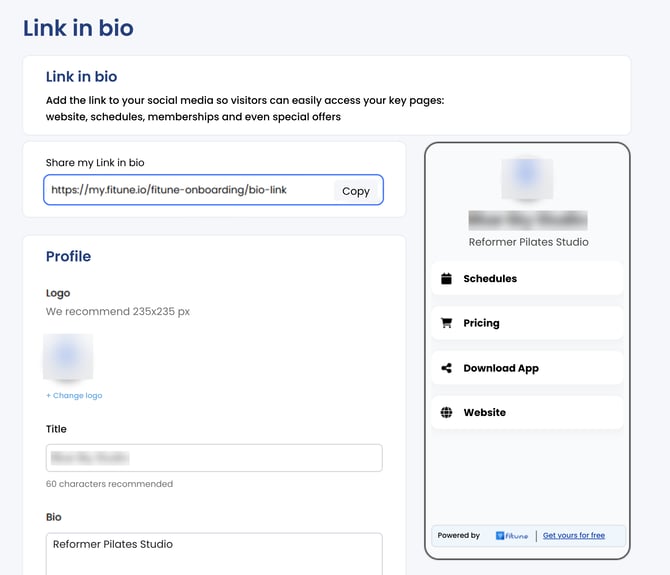
Your Biolink is a customizable landing page where you can share all your most important links — your booking page, social media, website, and more. Use it on platforms like Instagram, WhatsApp, or email so clients can always find what they need in one click.
How to set it up
- Go to your Fitune admin and log in.
- Click on the Biolink option from the main dashboard.
- Add your business name.
- Add a short description of your business or service.
- Click on the logo icon to upload your logo and personalize your page.
- Add your external links: Instagram, WhatsApp, Facebook, YouTube, booking page, etc.
- Save your changes. Your Biolink is now ready to share anywhere.
Frequently asked questions
▶ Where can I share my Biolink? You can share it on Instagram (in your bio), WhatsApp, Facebook, email signatures, or any platform where clients can access your content easily.
▶ Can I update my Biolink later? Yes. You can edit it anytime — update links, images, colors, or text instantly.
▶ Can I use my Biolink if I don't have social media? Yes. Your Biolink works like a mini landing page you can share via email or even printed materials.
▶ Does the Biolink page show my real-time schedule? If you add your booking page as one of the links, clients will see your real-time availability.