Important: payment links are only available for invoices created by online payments. Offline pending invoices must be updated manually. Learn more: How to Change the Status of an Invoice
Option 1 — From the client's profile
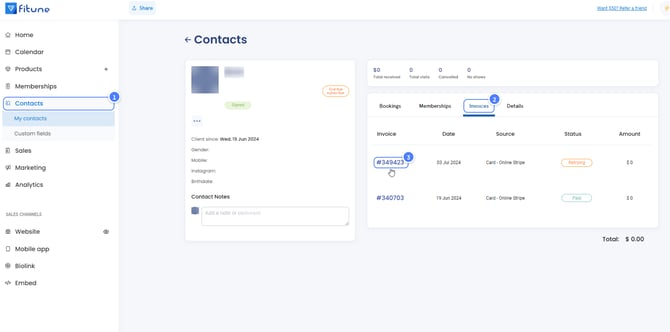
- Go to Contacts.
- Click on the client's profile.
- Click on the Invoices tab.
- Click on the invoice marked as Unpaid or Retrying.
- Copy the payment link and share it with your client.

Option 2 — From Sales
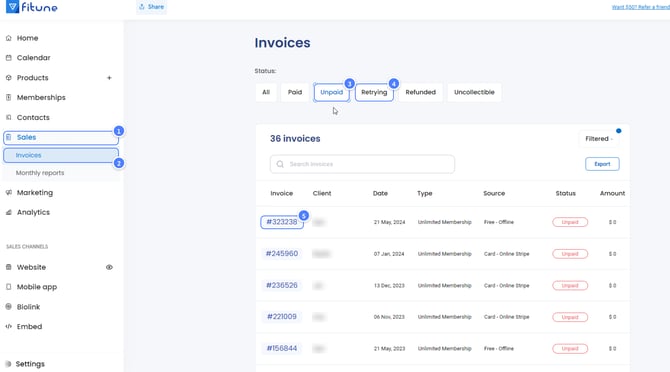
- Go to Sales.
- Click on Invoices.
- Filter the invoices by Unpaid or Retrying.
- Click on the invoice you want to manage.
- Copy the payment link and share it with your client.