
Keep your invoices in line with what actually happened. In this article, you'll learn how to change an invoice's status to:
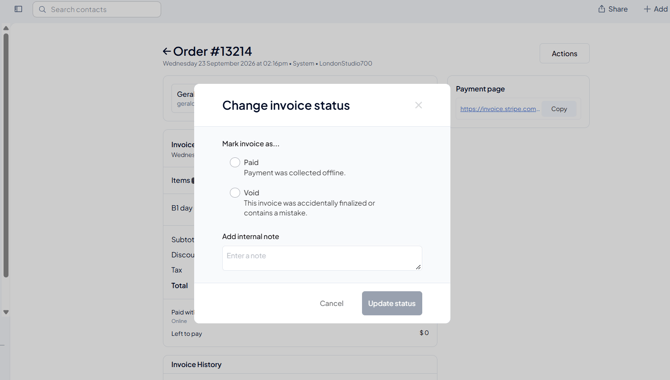
- Paid: when your client paid outside Fitune (cash, bank transfer or another offline method).
- Void: when your client will never pay and you want to close the invoice without counting it as revenue.
Mark an invoice as paid offline
If a client paid their membership in cash, bank transfer, or another offline method, you can manually mark their invoice as paid from the admin panel. You can also do this from the client's profile or from Analytics.
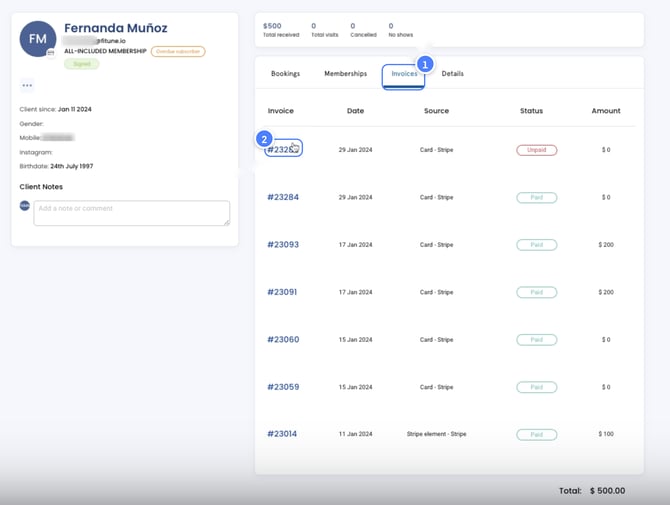
- Go to the Invoices tab and click on the invoice number.
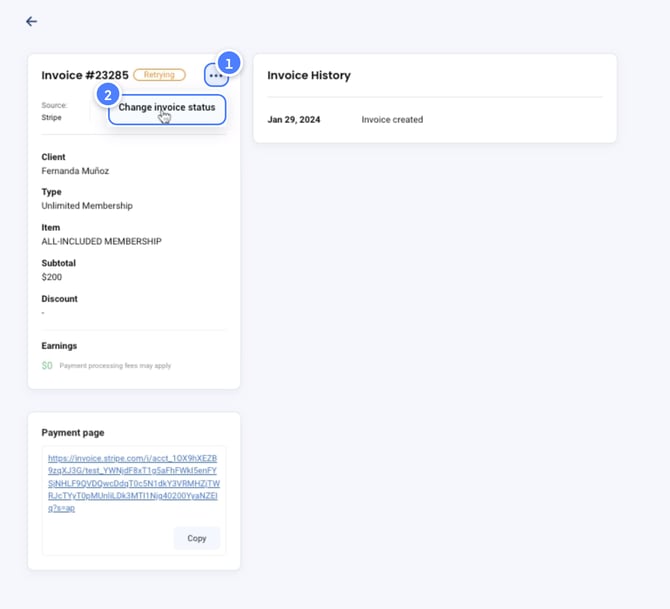
- Click on the three little dots and choose Change Invoice Status.
- Choose the payment method the client used to pay this invoice offline. Optionally, add a note for reference.
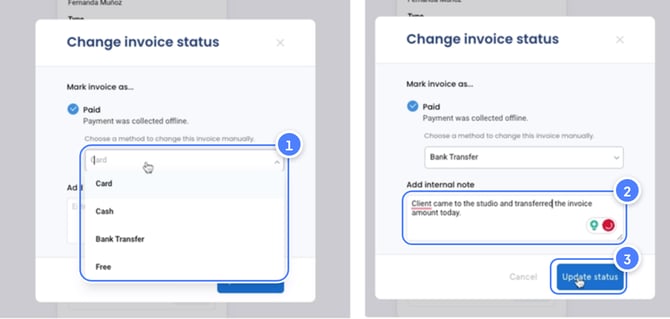
- Click on Update Status — done! Your invoice has been updated.
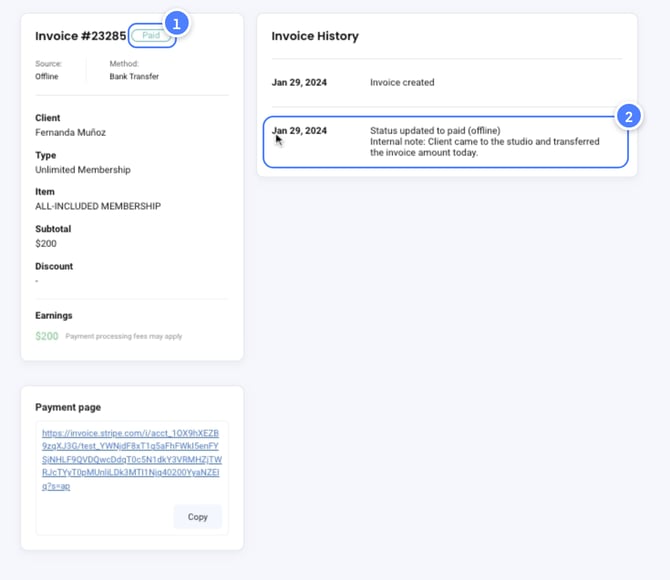
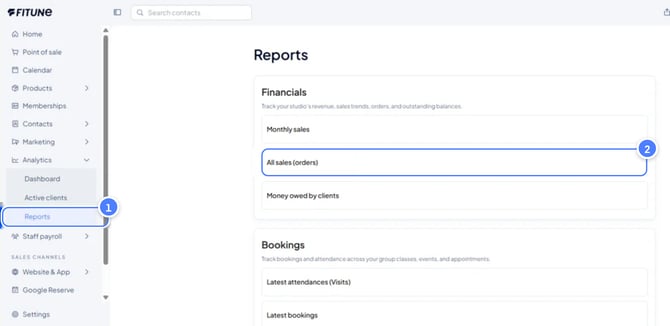
Note: you can also access invoices from Analytics → Reports → All sales (orders), or directly from the client's profile under the Invoices tab.
Void an invoice your client will not pay
Sometimes a client doesn't pay, and they're not going to. Instead of marking the invoice as "Paid" or "Free" just to close it, you can now void it.
Voiding closes the invoice for good and keeps it out of your revenue. Your reports only show money you actually received.
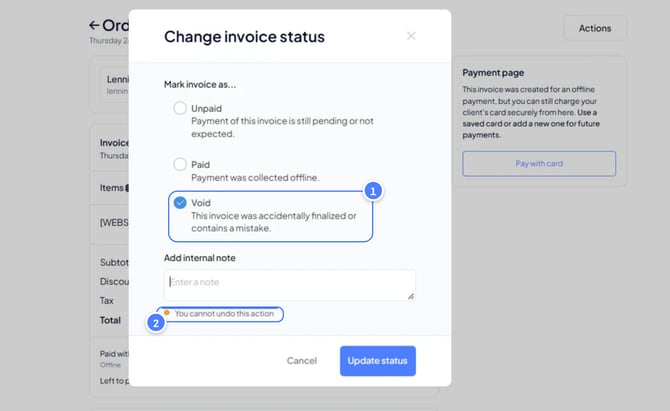
How to void an invoice
You can do this from two places.
Option 1: From the All orders report
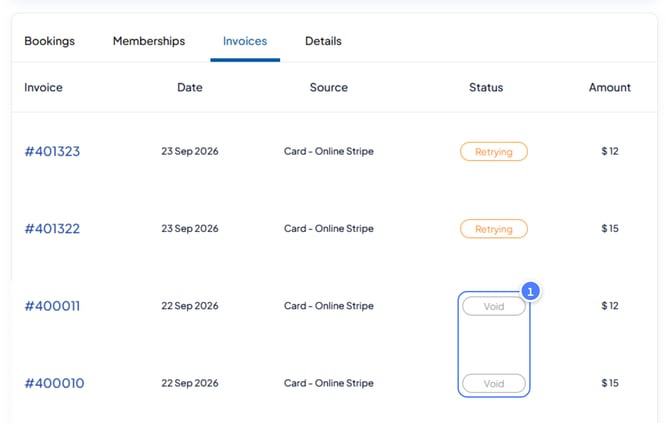
- Go to the All orders report. Tip: use the Void filtered view to see all the invoices you've voided.
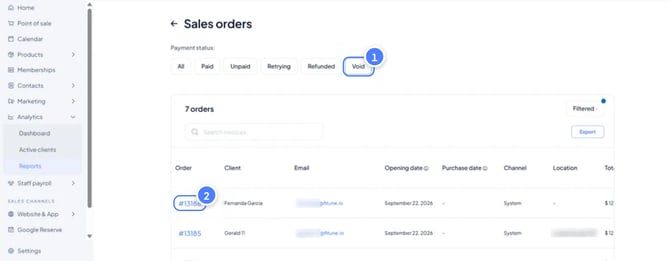
- Click the order or invoice you want to void.
- Click Actions and choose Change invoice status.
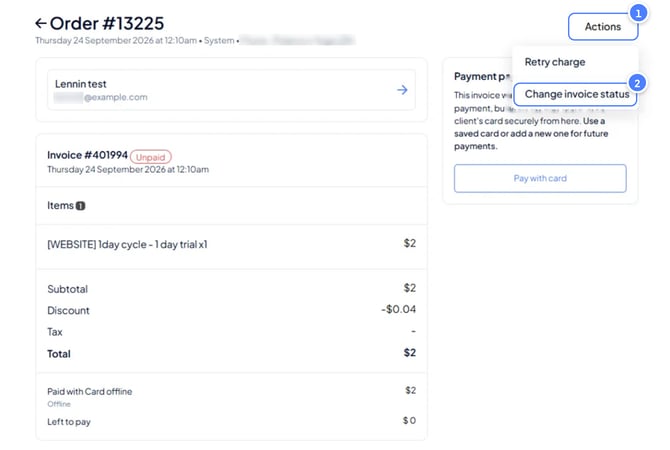
- Select Void.
- Optionally, add an internal note (for example, "Client left the studio, no payment expected"). Only your team can see it.
- Confirm. Done! The invoice is now voided.
Option 2: From the client's profile
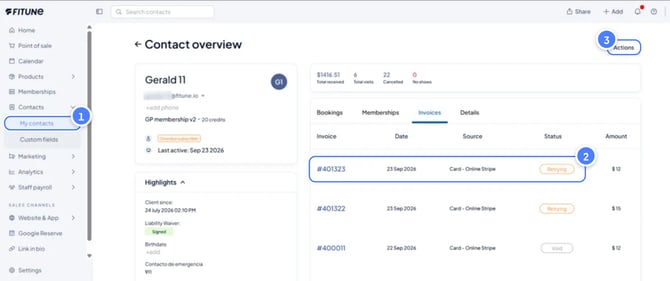
- Open the client's profile and go to the Invoices tab.
- Click the order or invoice you want to void.
- Click Actions → Change invoice status → Void.
- Optionally, add an internal note, then confirm.
How to check a voided invoice
Open the order and scroll to the order history. You'll see the void entry with the date and time.
FAQ
▶ Where can I see all unpaid or pending invoices?
You can find them in the report called: All sales (orders). From that same report, you can filter them and mark them as paid or void if needed. TIP: If you're looking for a specific invoice, search for it by typing the client's name. If you search by number, the invoice you need may not show up.
- Go to Analytics → Reports → All sales (orders).
- Click the order or invoice number you want to mark as paid/void.
- Click Actions and choose Change invoice status.
- Select Paid and choose the offline method or card you'll use for the payment, just like in the "Mark an invoice as paid" section.
- Optionally, add a note and click Update status.
▶ What if the client has an active subscription?
If your client has a plan (membership or package) set up as a subscription and their next renewal invoice isn't paid: They can't make new bookings. Their subscription is temporarily inactive because of the unpaid invoice. As soon as you mark the invoice as paid or void it:
The subscription becomes active again automatically. Your client can book and use their subscription as usual.
You don't need to reactivate anything. Once the invoice is paid or voided, Fitune reactivates the subscription for you.
Note: Updating an invoice's status and canceling a plan are two different actions. You can do them in any order, but you need to complete both:
Cancel the plan
Update the invoice status
▶ When can you void an invoice?
You can void invoices with one of these statuses: Retrying: the payment failed and the system is still trying to charge it. Unpaid: the payment wasn't collected. Invoices that are already paid can't be voided.
▶ What happens when you void an invoice?
It's removed from your revenue. The voided amount doesn't count in your revenue or in your reports. It's logged in the order history. You'll see the date and time it was voided, so there's always a record. It's final. Once an invoice is voided, you can't change its status again. Before you void: make sure the client really won't pay. If there's a chance they will, leave the invoice as it is. You can mark it as paid later, when the payment comes in.