
This counts toward the Convert pillar of your Fitune Health Score. Instagram only gives you one clickable link on your whole profile — the one in your bio. If that link doesn't lead somewhere a potential client can actually book, you're sending interested followers nowhere. This article covers setting up your Biolink and getting it into your Instagram bio.
What is a Biolink, and why does it matter here?
Your Biolink is a simple landing page, built inside Fitune, where you gather your most important links in one place — your booking page, website, WhatsApp, social profiles, and more. Since Instagram only allows one link in your bio, a Biolink solves the problem: instead of picking just one destination, you give visitors a small menu, with booking front and center.
How to set it up
- Go to your Fitune admin and log in.
- Click on the Biolink option from the main dashboard.
- Add your business name and a short description of your business or service.
- Click the logo icon to upload your logo and personalize your page.
- Add your external links — your booking page, Instagram, WhatsApp, Facebook, YouTube, and anything else worth sharing. Put your booking page first or make it the most visible option, since that's the action you actually want people to take.
- Save your changes — your Biolink is ready to share.
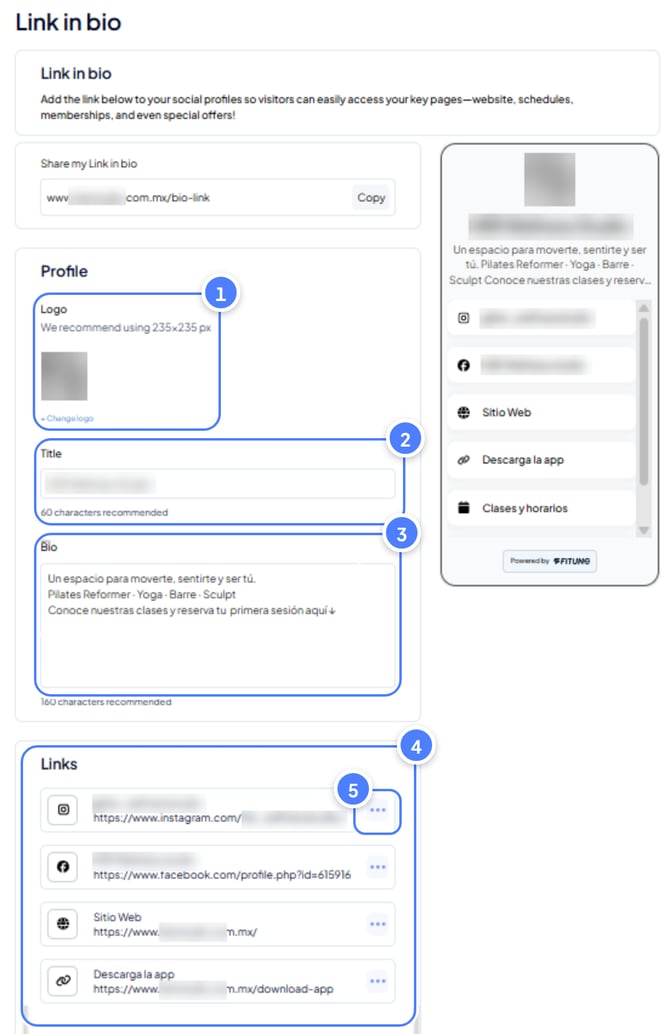
Add it to your Instagram bio
- Copy your Biolink's URL from Fitune.
- Open Instagram, go to your profile, and tap Edit profile.
- Paste the link into the Website field.
- Save.
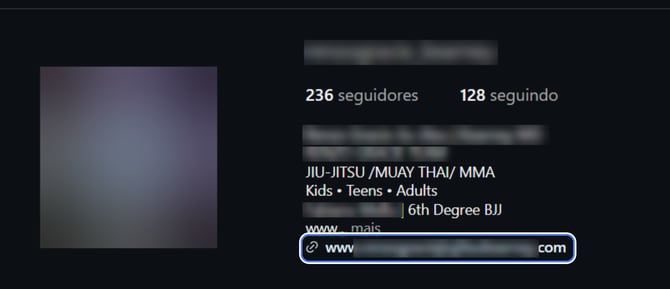
Once it's live, take a moment to open the link yourself from your own Instagram profile — the same way a follower would — just to confirm it opens correctly and that booking is easy to find from there.
Frequently asked questions
▶ Where else can I share my Biolink?
Anywhere clients might look for you: WhatsApp, Facebook, email signatures, or any platform where a single link is easier than several.
▶ Can I update my Biolink later?
Yes — edit it anytime: links, images, colors, or text, all update instantly.
▶ Can I use a Biolink if I don't have social media?
Yes. It works like a small landing page you can share by email or even on printed materials.
▶ Does my Biolink show real-time availability?
If you add your booking page as one of the links, clients will see your live schedule when they tap through.