From your Fitune dashboard
- Go to your dashboard.
- In the top right corner, click Share.
- Choose one of the available tabs:
- Website → Share your booking website.
- App → Share the mobile app link.
- Create Account → Invite clients to create an account.
From this menu you can:
- Copy the link
- Send via WhatsApp
- Send by email
- Generate a QR code
Tip: QR codes are a great way to promote your business in physical spaces — reception desk, flyers, business cards, studio entrance, or social media. Clients simply scan the code to access your Fitune website or app instantly.
How to add your website to your social media
Adding your link to your social media profiles helps attract more clients and reinforces your business's credibility.
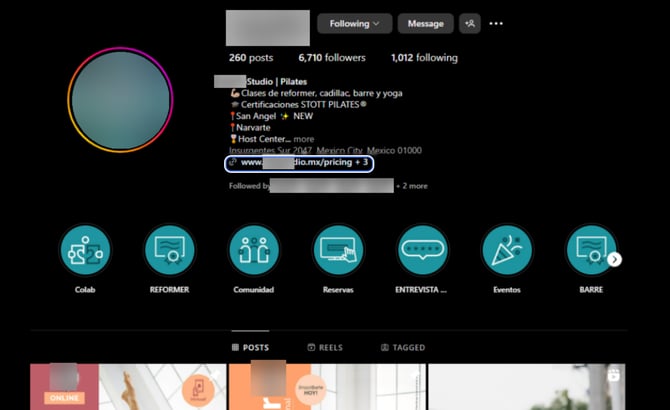
- Open the Instagram app and go to your profile.
- Tap Edit Profile.
- Find the Website field and enter your URL.
- Save your changes — your URL will appear in your bio.
Detailed instructions: Official Instagram guide
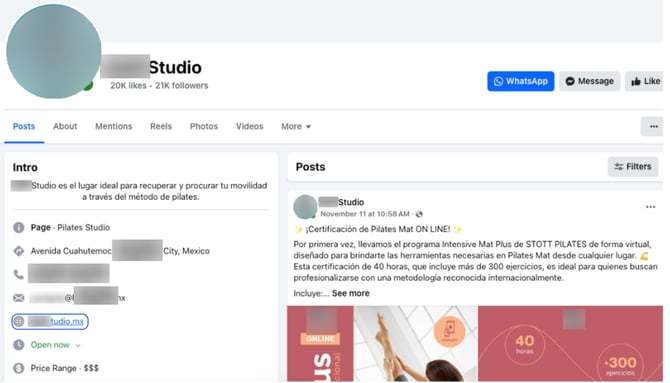
- Log in to your Facebook Business account and go to your page.
- Click on the About tab.
- Scroll to Contact and Basic Info → Website field → click Edit.
- Enter your website URL.
- Save your changes.
Detailed instructions: Official Facebook help page
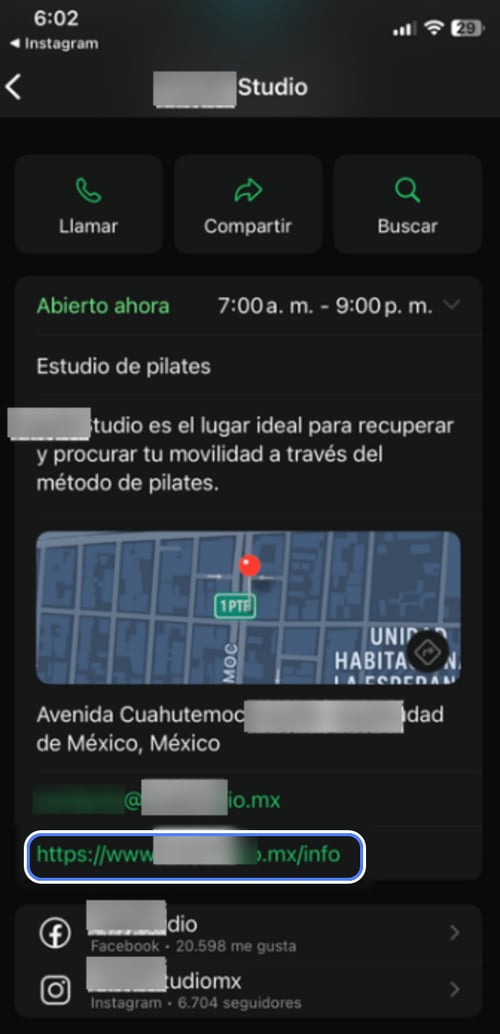
WhatsApp Business
- Open the WhatsApp Business app.
- Go to Settings → Business Tools → Business Profile.
- Tap on the Website section and enter your URL.
- Save your changes — the link will appear on your business profile.
Detailed instructions: Official WhatsApp help page