
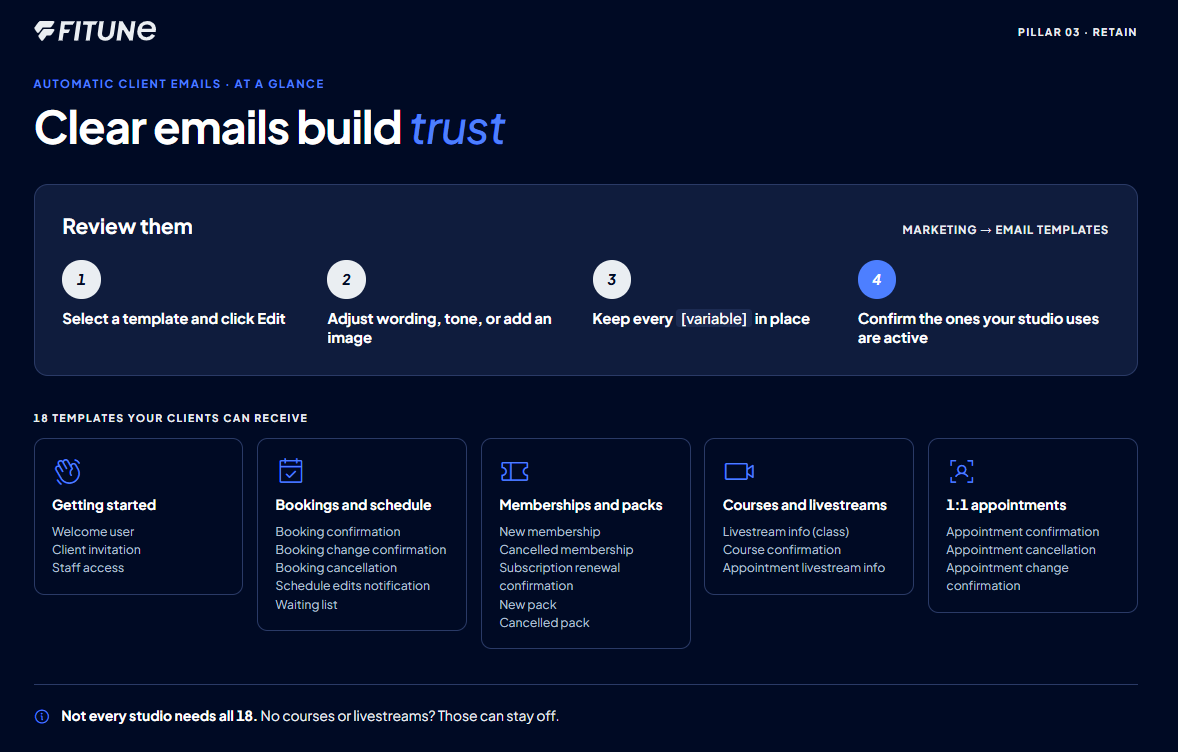
This counts toward the Retain pillar of your Fitune Health Score. A client who gets a clear confirmation when they book, and a heads-up when something changes, trusts your studio more and is less likely to miss a session or let their membership lapse without noticing. Fitune sends a set of these emails automatically — this article walks through what they are and where to review them.
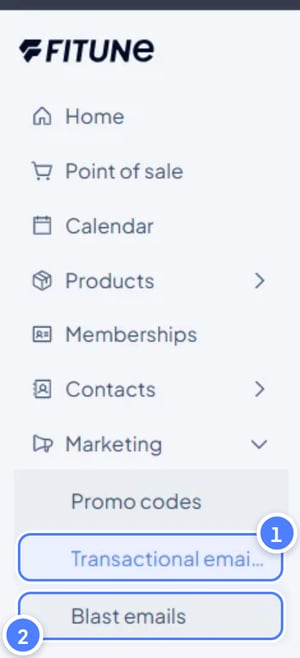
Where these live
Every automatic client email lives under Marketing, then Email Templates.
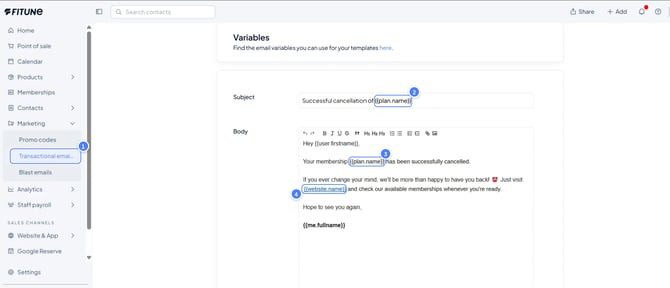
Select a template and click Edit to review or change it — you can adjust the wording, tone, or add images, but don't remove the bracketed variables inside a template, since those are filled in automatically with the client's or booking's details, and removing them breaks the email's context.
The templates your clients can receive
These are the 18 automatic emails available to customize or turn off:
- Getting started: Welcome user, Client invitation, Staff access
- Bookings and schedule: Booking confirmation, Booking change confirmation, Booking cancellation, Schedule edits notification, Waiting list
- Memberships and packs: New membership, Cancelled membership, Subscription renewal confirmation, New pack, Cancelled pack
- Courses and livestreams: Livestream info (class), Course confirmation, Appointment livestream info
- 1:1 appointments: Appointment confirmation, Appointment cancellation, Appointment change confirmation
Going through this list once and confirming the ones relevant to how your studio runs are active is what this Health Score item is checking — not every studio uses courses or livestreams, for example, so which ones matter will vary.
Adding your own touch
If you want a template to feel more like your studio, you can add an image to it — click the image icon inside the template editor, select your file, and click Add. See the full guide for adding images to your emails here.
Click on the e-mail's name to edit it :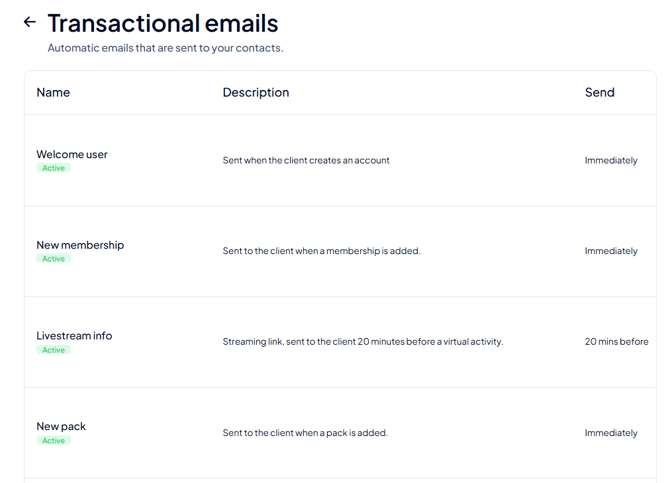
FAQ
▶ Does Fitune send reminders by SMS or push notification, not just email?
Based on what's documented, these automatic client notifications are email-based.
▶ Can I turn a specific email off without deleting it?
The templates can be customized or disabled, though the exact on/off control isn't detailed here — if you're not sure how to disable one for your studio, it's worth double-checking directly in the Email Templates screen.
▶ What happens if I accidentally remove a variable from a template?
The email will lose the client or booking details it's meant to fill in automatically, so it may read as broken or generic. If that happens, it's safest to revert your edit and start again from the original template text.