
This is part of the Attract pillar of your Fitune Health Score — a well-optimized website is what helps someone searching "[your class type] near me" find your studio before the competition.
SEO (Search Engine Optimization) is the set of adjustments that help Google understand what your site is about and show it to the right person. None of these on their own guarantee a top spot, but together they make a real difference. Here's how to work through them.
Write a main heading (H1) that already says what you do and where
"H1" is the technical name for a page's main heading — the most important, most prominent text on it, which both visitors and Google read first.
Every page on your site should have one, and it should already say what you offer and where. Instead of something generic like "Welcome," go for something like "Pilates Classes in Polanco, Mexico City" — naming the service and the neighborhood or city.
When building your page in the Website Builder, use the main headline text block (usually the first large text on your homepage) for this, and write it with service + location in mind from the start.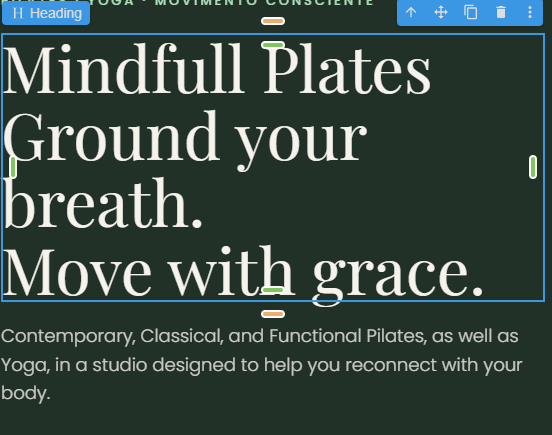
Fill in the search title (SEO title) and description that rank on Google
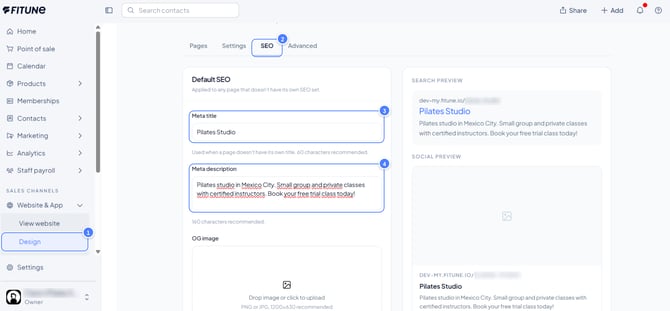
This is what controls the blue line and the grey paragraph that appear in your Google search result when someone searches your studio's name or a related term.
- Go to Website and App, then Design.
- Open the Pages screen and click the SEO tab.
- In the Meta title field (60 characters recommended), write your studio's name + what you do + where you're located — for example: "Lunara Studio · Yoga and meditation in Polanco."
- In the Meta description field (160 characters recommended), write a direct invitation saying what you offer and to whom — this doesn't change your ranking, but it does change how many people click your result, so it's worth getting right.
Choose a photo of your studio as your sharing image
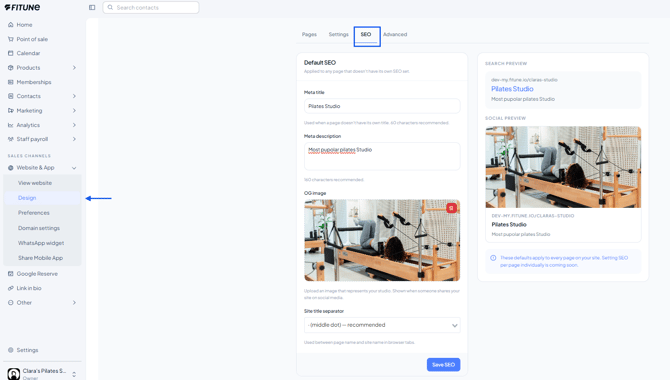
This is the image that shows up when someone pastes your site's link into WhatsApp, Instagram, or Facebook. Without it, your link shows up as an empty rectangle when shared — which is why it's worth filling in.
On the same SEO tab, in the OG image field (1200×630 px, PNG or JPG), upload a real photo of your space, ideally matching the visual style of the rest of your site.
Write real text on your homepage, not just images
Google reads text, not photos, so a homepage that's only a gallery of images makes it hard for search engines (and visitors) to understand your studio.
- Add a paragraph or two of real text on your homepage explaining what you offer, who it's for, and what makes your studio different.
- Add an About section with your story and your "why": what got you into this and what you believe in as a studio.
- This helps your SEO, builds a personal connection with potential clients, and answers questions they'd otherwise have before booking their first class.
If you offer very different services, consider a page for each
If your studio offers more than one clearly different service (for example, Pilates and Yoga, or group classes and personal training), create a separate page for each one in the Website Builder. This helps Google understand and rank your site for each search term, instead of one page trying to cover everything.
Every service page should include:
-
- A booking button, so visitors can book that specific service without searching for it.
- Any current promotion for that service, if you're running one (for example, a first-class discount for Pilates only).
Keep your name, address, and phone number identical everywhere
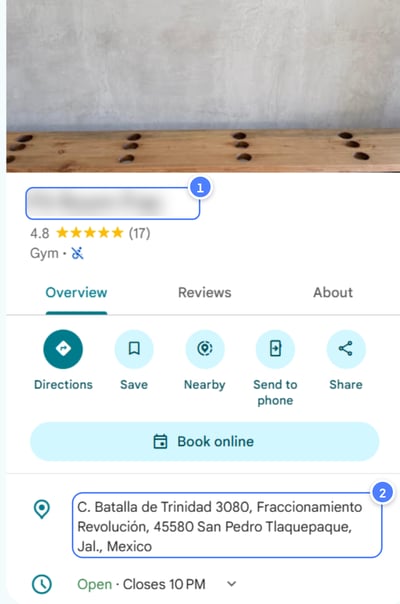
NAP (Name, Address, Phone) is one of the main ways Google confirms your business is real and trustworthy.
- Write your studio's name, address, and phone number exactly the same way on your website, your Google Business Profile, and anywhere else they appear.
- Small differences can confuse Google, like "Ave." in one place and "Avenue" in another.
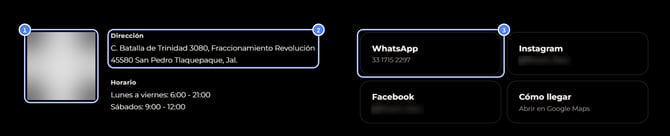
- Screenshot placeholder: show where your name, address, and phone number appear in your site's footer or contact page, for comparison (studio name blurred).
Describe your photos with short alt text
1. Fill in the image description (alt text)
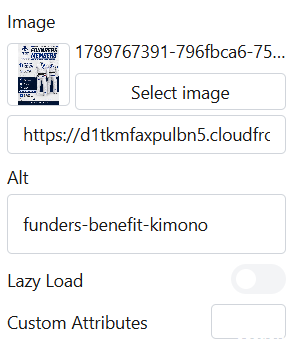
- When you add a photo, look for the image description field (technically called alt text).
- Write a short sentence that says what's in the photo, with hyphens between words, not spaces.
- Example:
yoga-studio-room-with-mats-and-natural-light
2. Rename the file before uploading (good practice)
- Give the file the same description as its name, for example
yoga-studio-room-with-mats-and-natural-light.jpg. - This is better than a generic camera name like
IMG_4521.jpg.
Why it matters
- Google understands your images and can show them in Google Images, not just your webpage.
- Screen readers can "hear" what the photo shows, which makes your site more accessible.
Publish your business information on your site
Having your address, business hours, and a way to contact you clearly published on your site (usually in the footer or on a contact page) helps Google confirm you're a real local business — this is what's generally referred to as "local business data."
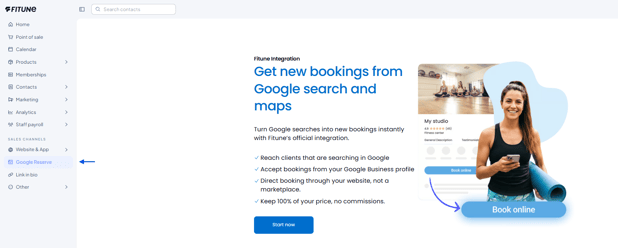
This point goes hand-in-hand with your Google Business Profile —if you haven't set yours up yet, it's worth checking the article about connecting it to your Fitune account in the Attract category.
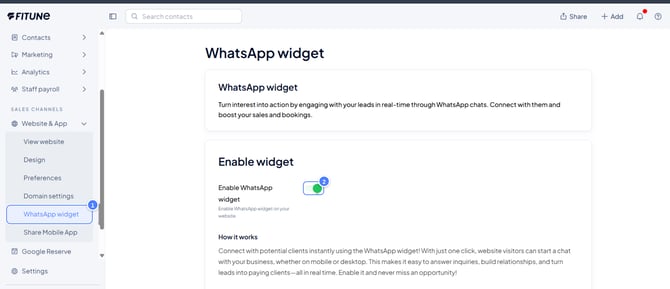
Adding a WhatsApp widget to your site is another good way to make it easy for visitors to reach you directly
FAQ
▶ Does filling in all these fields guarantee I'll rank first on Google?
No — none of these adjustments alone guarantees a specific ranking. They help Google understand your site better and help more people click your result, but they're not a ranking promise.
▶ Do I need to know how to code to do any of this?
No — every field mentioned here is filled in directly inside Website and App, no code required.
▶ What's the difference between this and Google Analytics?
Google Analytics measures who's already reaching your site; these SEO settings help more people reach it through Google in the first place. The two work together.
Once your SEO is set up, it's also worth keeping an eye on how Google is indexing your site — the article How to Set Up Google Search Console walks through tracking that directly through Google, for free.