
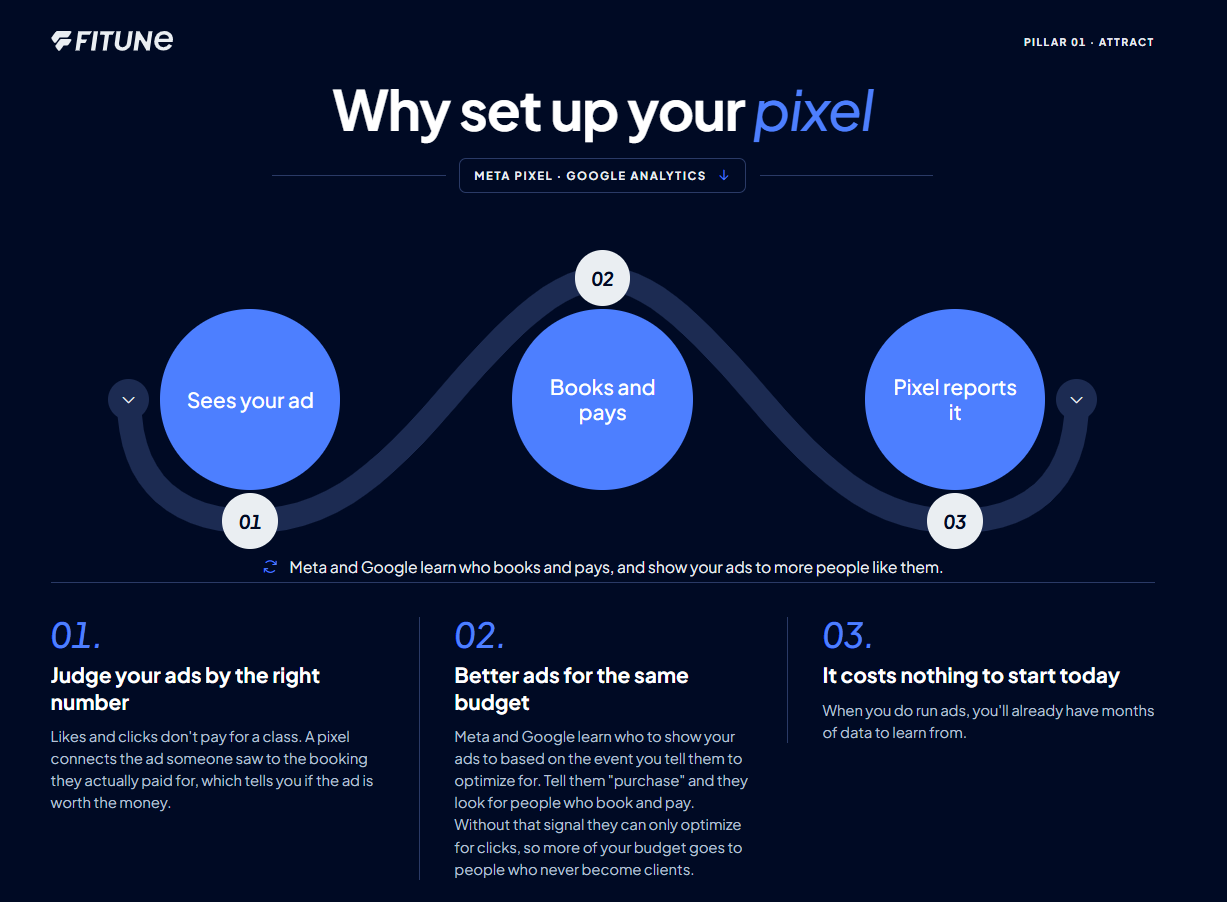
This counts toward the Attract pillar of your Fitune Health Score. Likes and link clicks feel good, but they don't pay rent — a booking does. Connecting a tracking pixel is what lets you see, campaign by campaign, which ones are actually turning into paying clients, so you know where to keep spending and where to stop.
Before you start
Step 1: Get your Meta Pixel ID
- Log in to Meta Events Manager with your studio's own Meta Business account (not an agency's — more on why below).
- In the left sidebar, select your Pixel under Data Sources (or create one, if you don't have one yet).
- Your Pixel ID is the 16-digit number shown at the top of the page. Copy it.
Step 2: Get your Google Analytics Measurement ID
- Go to Google Analytics with your Google account, and create an account and property for your studio if you don't have one yet.
- Go to Admin → Data Streams → your web data stream.
- Copy the Measurement ID, which starts with "G-" (for example,
G-XXXXXXXXXX).
For the full walkthrough, including how to set up a brand-new Google Analytics account from scratch, see How to Set Up Google Analytics.
Step 3: Paste both IDs into Fitune
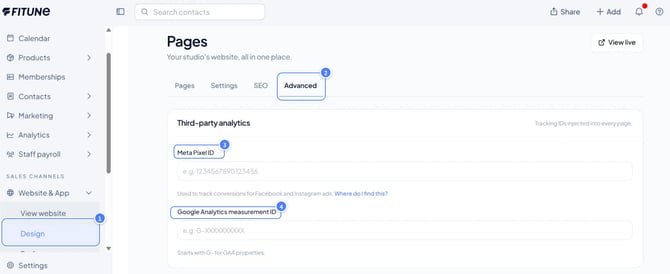
- In your Fitune admin, go to Website and App → Design.
- Open the Advanced tab.
- In the Third-party analytics section, paste your Meta Pixel ID into the Meta Pixel field, and your Measurement ID into the Google Analytics Measurement ID field.
- Save your changes.
(Screenshot placeholder: the Third-party analytics section with both fields filled in, so readers can compare against their own screen.)
Step 4: Test before you spend a single dollar on ads
Before turning on any paid campaign, make a test booking on your own site and confirm both pixels picked it up:
- In Meta Events Manager, open the Test Events tab and watch for your test purchase to show up.
- In Google Analytics, check the Realtime report and confirm your visit and booking appear.
This one check can save you real money — it confirms the setup actually works before any budget depends on it.
A few habits that make this actually pay off
- Track the booking, not the click. Page views and "Book Now" clicks are useful, but the number that matters is the completed, paid booking. Make sure that's the event you're watching when you judge a campaign.
- Keep the pixel in your own account. Set up the Pixel inside your studio's own Meta Business account and your own Google account — not an agency's. If you ever change agencies, your data (and your ad history) stays with you.
- Name your campaigns so the report reads itself. "Intro offer, Roma Norte, September" tells you a lot more later than "Campaign 4."
- Check in monthly. Look at cost per booking by campaign, and feel free to pause the ones that aren't producing bookings — even if they're getting plenty of clicks.
Frequently asked questions
▶ Do I need to be running ads already to set this up?
No — it costs nothing to connect your pixels now, even if you're not advertising yet. That way, the day you do start running ads, you'll already have data to learn from.
▶ What if my agency manages my ads?
That's fine — just make sure the Pixel ID they're using lives in your own Meta Business account, not theirs. If you ever part ways, your tracking history stays with your studio.
▶ Can I use the custom tracking code field instead?
That field is for pasting a fully custom script by hand, and it's only available on the Ultra plan. Most studios don't need it — the Meta Pixel and Google Analytics fields above cover everything most tracking needs.
▶ How do I know it's really working?
Make one test booking on your own site, then check Meta's Test Events tab and Google Analytics' Realtime report — both should show your visit and booking within a minute or two.